Soft Particle
Task
Modify a program to make the intersection between the particle and the platform soft. To achieve this, use the scene depth texture iDepthBuffer to compare the depth of the particle with the platform. Adjust the particle opacity using the formula:
opacity = clamp((sceneDepth - particleDpeth) * 50.0, 0.0, 1.0)
Be sure to check the depth settings.
Theory
Soft particles are a technique used in computer graphics to create particles that blend smoothly with the scene, avoiding hard edges where particles intersect with other geometry:
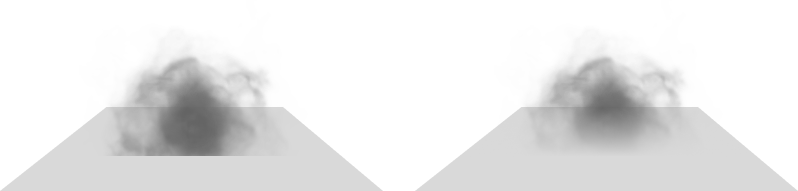
The core of this technique lies in the use of fragment depth values. If we examine the depth buffer of the current scene, we can see that there is no visible clipping edge:
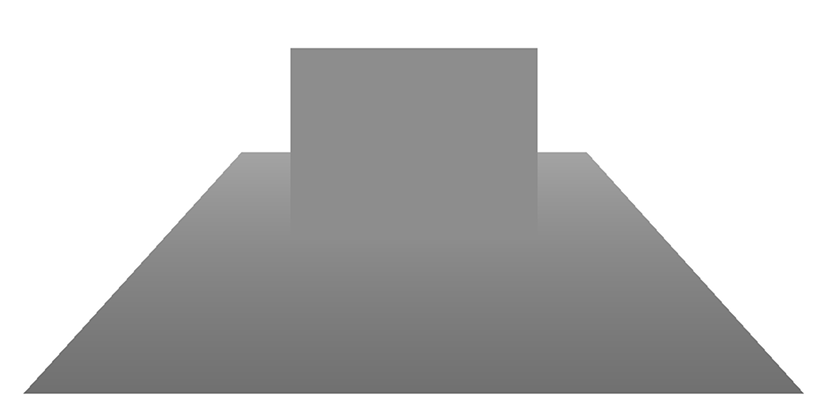
We can see that as objects approach the edge of intersection, they merge in the depth buffer. At the point of intersection itself, the depth values of the two objects are identical.
Detailed breakdown
Let's take a closer look at why this happens. Consider our scene, where we denote a scene fragment as $G_i$ and a particle fragment as $P_i$, which overlaps the scene fragment along the view ray:
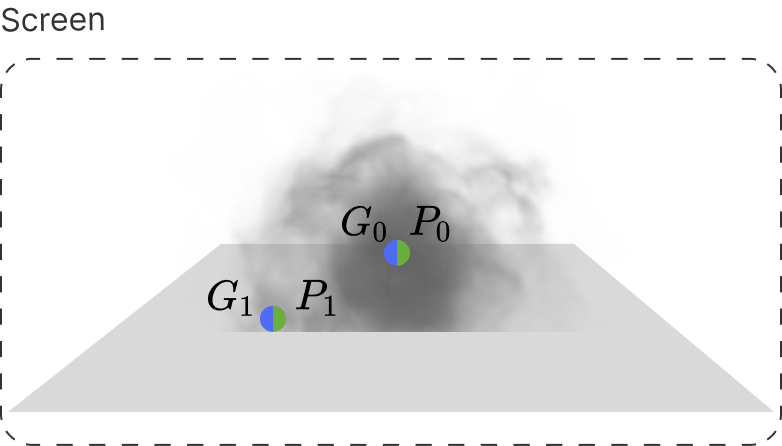
In the projection, fragments $G_i$ and $P_i$ are located at the same point; however, let's look at the scene from a different angle:
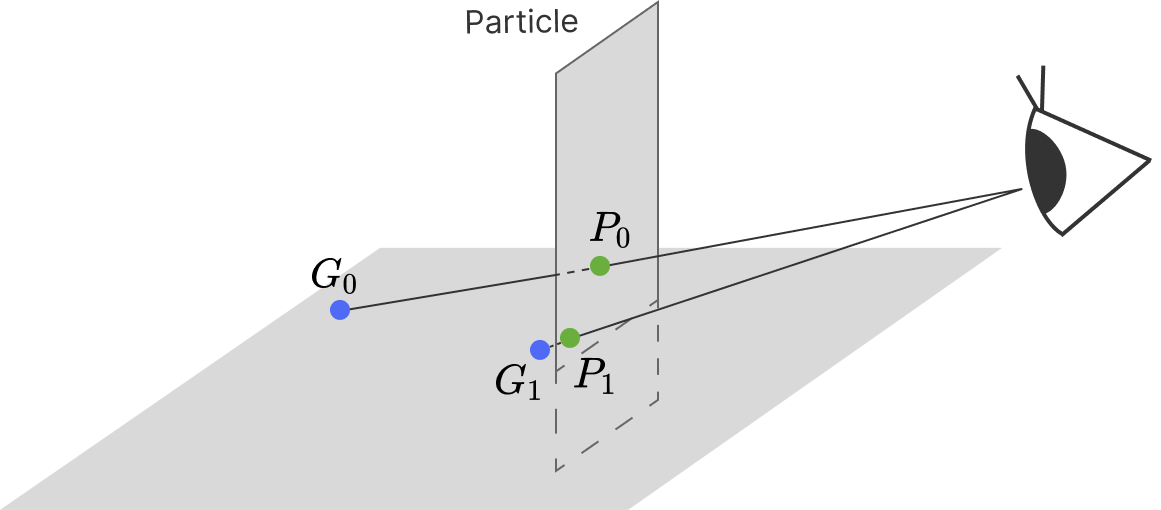
Here, we can see that the spatial distance between fragments $G_i$ and $P_i$ decreases as they approach the intersection boundary. In theory, we could use the Euclidean distance in 3D space, but that would require us to store the positions of the scene fragments somewhere. Therefore, let's look at what happens to the depth values of these fragments instead:
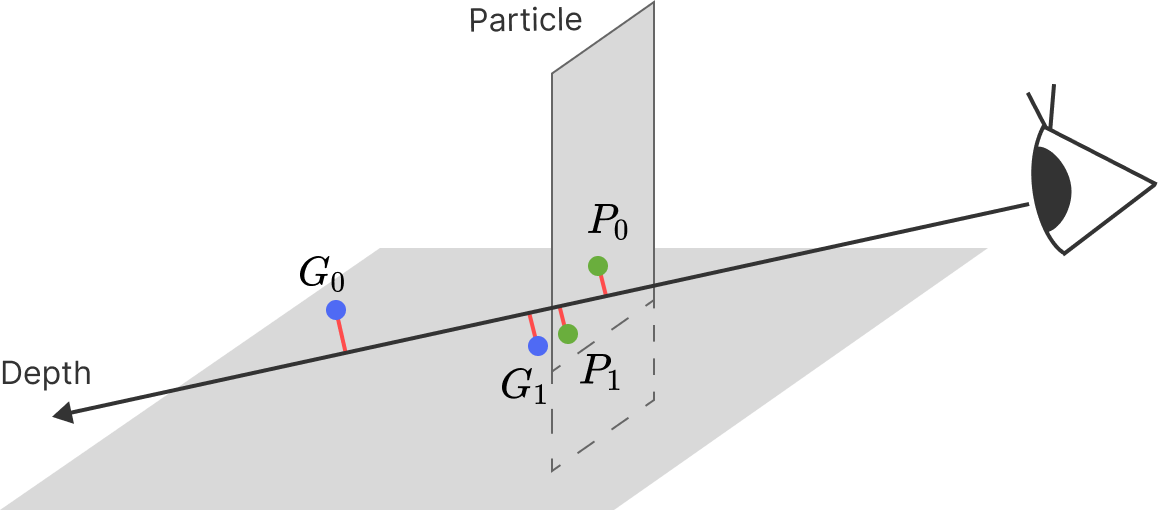
Just as with the distance, the difference in depth between fragments $G_i$ and $P_i$ decreases as they approach the intersection boundary. We can therefore use the depth distance as a blending parameter for the fragments of the scene and the particle that overlaps it.
Rendering Setup
To optimize performance, the depth buffer from the previous frame can be used. However, since a particle would normally overwrite the depth buffer and prevent us from accessing the depth of the objects behind it, we must disable depth writing before rendering the particles:
.properties
DepthWrite = FALSE
This also prevents overlapping particles from clipping each other. By doing this, scene depth values remain available for reading, while the particle's depth is calculated manually within the shader.
Shader Logic
To obtain screen coordinates and depth values, we pass the fragment's clip space position to the fragment shader. There, we perform perspective division and remap the values from the $[-1, 1]$ range to $[0, 1]$:
vertex shader
clipPos = projection * view * model * vec4(position, 1.0);
fragment
uvScreen = clipPos.xy / clipPos.w * 0.5 + 0.5;
particleDepth = clipPos.z / clipPos.w * 0.5 + 0.5;
Using uvScreen, we sample the depth buffer to obtain the depth of the scene fragment located behind the current particle fragment:
sceenDepth = texture(iDepthBuffer, uvScreen).r;
Now, we can compare the particle fragment depth (particleDepth) and the scene depth (sceneDepth) to calculate the opacity level of our particle:
soft = clamp((sceenDepth - particleDepth) * 50.0, 0.0, 1.0);
Here, we multiply the difference by $50$ to make the transition faster and clamp the result to the [0, 1] range. If a scene fragment is in front of the particle, its depth value will be smaller; consequently, the particle's alpha will result in 0, and the particle will not be rendered, which is exactly the behavior we need (In fact, in such case, the particle fragment would simply fail the depth test and be discarded before the shader is even called).